
Anyone can generate one good AI portrait. A useful persona depends on a character that remains recognisable across many posts, even as the scene changes.
Two things commonly break that consistency. The face drifts, or the images look artificial. This guide covers practical ways to reduce both problems while keeping the limits of image generation in view.
One photo is a gimmick. A persona is a business.
A viewer should be able to recognise the character as the scene changes. One off-model image can make the nose, jaw or overall expression feel different even when the prompt is similar, so review a set for consistency rather than judging one image alone.
So treat consistency as a product requirement, not a nice extra. It is the difference between a character and a costume.
The devil is in the detail
Locking the face is only part of the task. A fuller prompt gives you more control over framing, light, texture and the moment you want to depict, but each model interprets those details differently. Compare a short and detailed version on the same reference before deciding what helps.
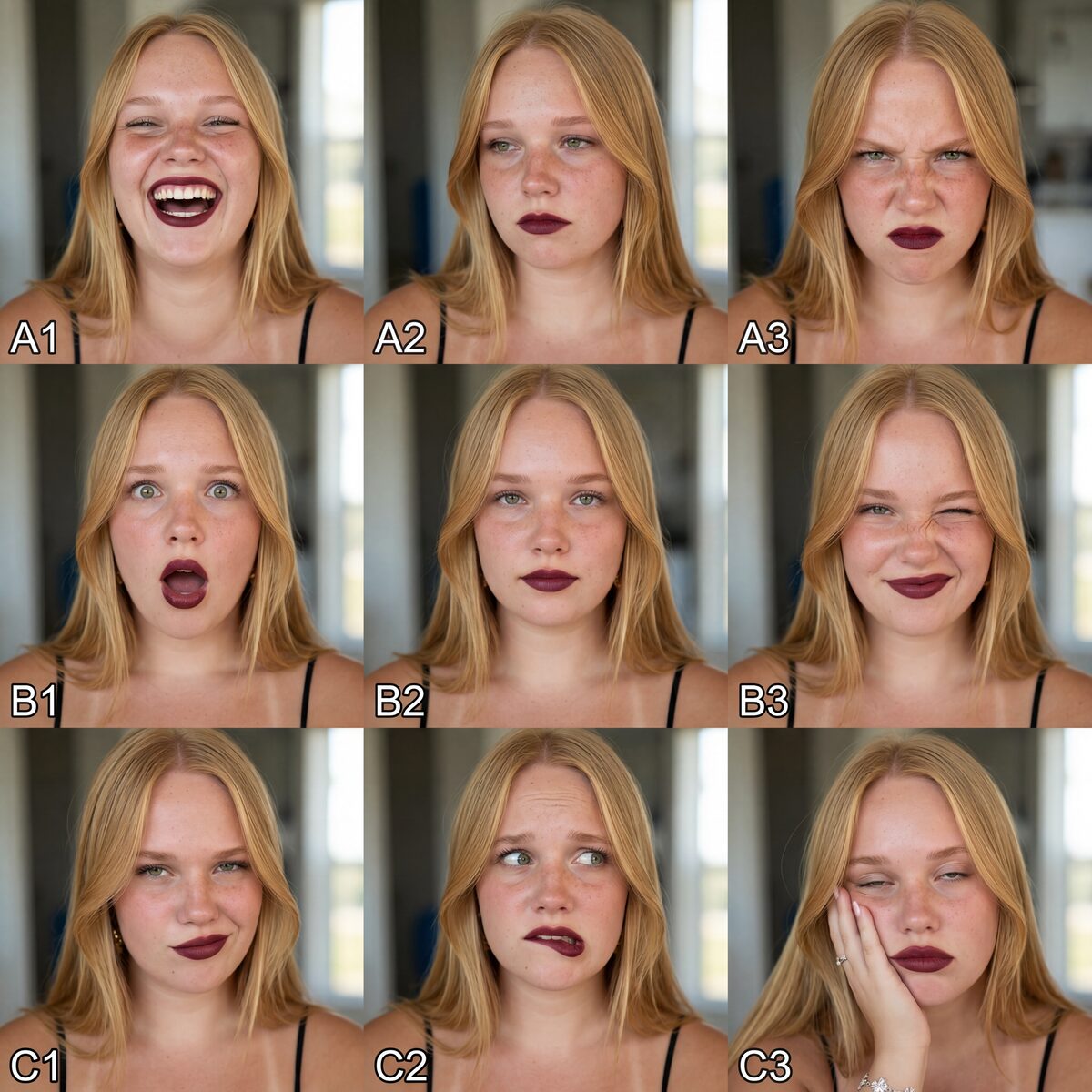
Same reference, same model, same woman. The only thing that changed is the words. Start with the reference below, a character sheet that shows one face across many expressions and angles.

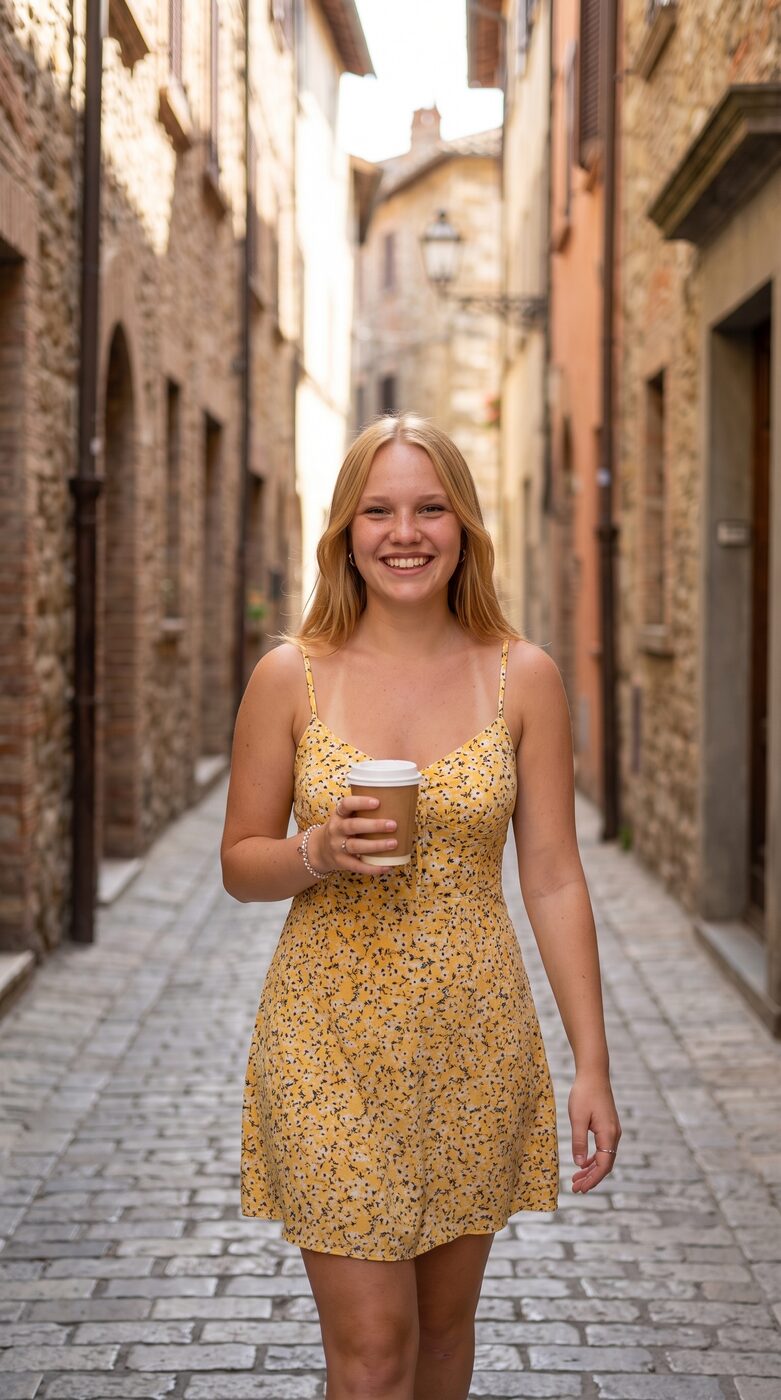
The “Detailed PROmpt prompt” image uses a fuller scene description. The “Short lazy prompt” image uses "a realistic photo of this woman wearing a yellow sundress smiling holding a coffee in a narrow alley". Both use the same reference and model; compare the framing, light and texture rather than treating either result as guaranteed.
Prompting is a useful starting point
The reference supplies identity cues and the prompt describes the scene. A character sheet gives the model more information to work from, while a structured prompt makes it easier to change one part of the scene at a time. Below is a reusable starting skeleton for the library’s prompt work.
[Framing and shot type. For example a mid-to-full body candid Instagram photo at eye level, slightly off-center, with a gentle handheld tilt, at close-friend distance] of one adult woman.

Preserve the character identity from the reference image, keeping their exact hair color, hairstyle, eye color, skin tone, face shape, and body shape.

[Scene. Where she is, the time of day, the background, the weather.]

She wears [wardrobe. Specific garments, colors, fabrics, and accessories].

[Action. What she does with her hands, head, and gaze, caught mid-moment.]

[Light. The direction, the quality, the color temperature, the shadows.]

no readable text, no signs, no logos, no captions, no watermarks. Natural skin texture, realistic hands and fingers, believable fabric folds, accurate shadows, undistorted architecture, no waxy skin, no extra fingers.

[Camera. Pick one of the two anchors below.]
shot on iPhone 15 Pro Max main 1x camera, 24mm equivalent wide lens, ƒ/1.78 aperture, realistic smartphone photography, natural iPhone HDR
Shot on iPhone 15 Pro Max main 0.5 ultrawide camera, ultrawide lens, realistic smartphone photography, natural iPhone HDR
The camera line is one useful consistency cue. Naming a phone and lens can suggest a smartphone look, but results vary by model and prompt. Reusing one anchor across a set makes the intended camera language easier to compare.
- Main 1x, 24mm, ƒ/1.78. Your default for portraits and mid-to-full body shots with a natural, close feel.
- Ultrawide 0.5x. For wide environmental shots where you want the whole scene around her, a room, a street, a beach.
Make the reference easier to compare
Everything starts with the reference. Low resolution, harsh lighting or an extreme angle can leave the model with fewer useful identity cues, so it may interpret the character differently from one generation to the next.
- Use a character sheet, several clean shots of one face across angles and expressions, like the grid above.
- Keep it high resolution and evenly lit, with no harsh shadows or extreme angles.
- Give the model the whole head, front, side, and three quarter, so it learns a person rather than one flat selfie.
Start with one clean multi-angle sheet, then adjust the reference when the model repeatedly misses the identity cues you need.
Keep identity cues stable, vary the scene
Structure every prompt in two parts: an identity block that you keep stable for comparison, and a scene block that carries the location, outfit, pose, light and camera. Keeping the identity wording stable can make changes easier to diagnose, but it does not guarantee identical outputs.
One model cannot do it all
No single model does everything well. Compare Nano Banana 2 and GPT Image 2 on the same reference, scene and output needs. A character LoRA adds a trainable adapter when you need a repeatable open workflow, while ComfyUI or Flux can provide more control for builders. The full comparison is in Nano Banana 2 vs GPT Image 2 for AI Personas.
If you decide a character LoRA is worth it, InfluencerMaxxing 101 includes one Krea 2 LoRA training and two ready workflows ($69.99). Learn more
Five ways creators wreck a good persona
- Leaning on adjectives instead of a reference. A reference supplies additional identity cues, but it still needs evaluation.
- Changing identity, scene, and camera all at once. Vary one thing at a time so you can see what moved.
- Feeding a single flat selfie instead of a multi-angle character sheet.
- Chasing one perfect image instead of a consistent set. The set is the asset, not the hero shot.
- A different camera feel in every post. Reuse one iPhone anchor if you want a consistent camera direction, then check the results.
Do not take my word for it, see it
This structure is one way to organise prompts in the PROmpt library: a stable identity clause, a varied scene block and a consistent camera cue. Treat the examples as starting points and evaluate the resulting images yourself.
- Prompts are shown beside example images so you can compare the intended description with a result.
- The examples focus on realistic scenes, while outputs still depend on the model, reference and settings.
- Prompts can be copied for browsing and experimentation; an account is needed for contributions and account features.
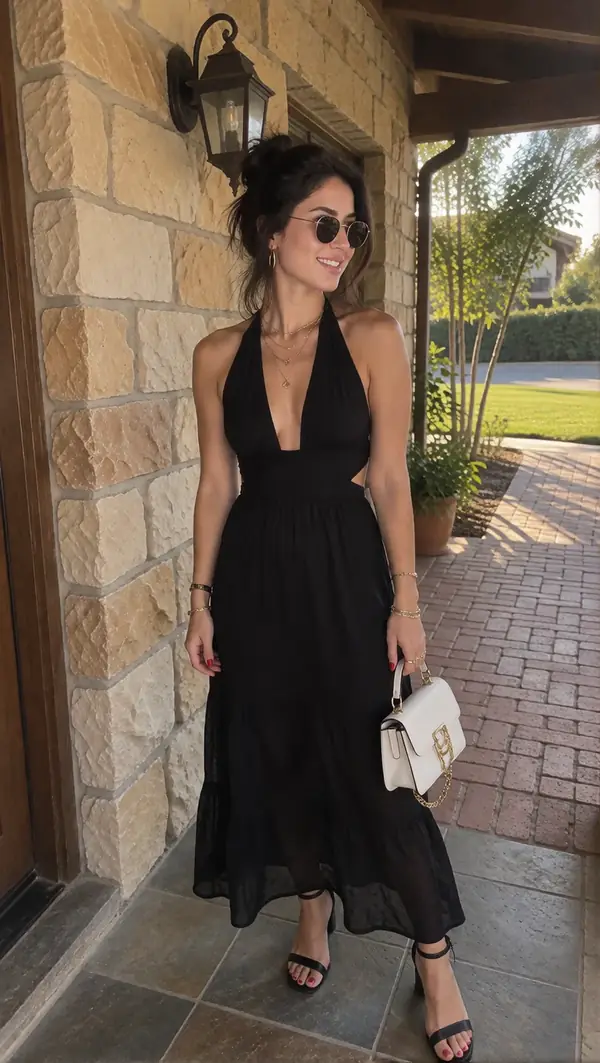
Bring your own reference, pick a pack, and copy the prompt. Start with the mirror-selfie realism of the Tight Outfit Mirror pack, or the bright outdoor sets in Endless Summer.
Build your consistent AI influencer
One Krea 2 LoRA training, two ready ComfyUI workflows and a step-by-step guide · $69.99 one-time.
Learn moreWant to go deeper and swap notes with other creators building the same way? Come say hello in the PROmpt community on Discord.
Questions creators ask
What makes the best reference image for a consistent AI influencer?
A character sheet with several clear shots of the same face from the front, side, and three quarter angles, ideally with consistent lighting. Compare the results from different references and avoid relying on one low-quality or extreme-angle image.
Why do my AI influencer photos look fake even when the face stays consistent?
Consistency and realism are separate things to evaluate. A short prompt and a detailed prompt can produce different framing, light and texture on the same model, so compare them on the same reference and keep the wording that gives you more useful control.
Should I use Nano Banana 2 or GPT Image 2 for a recurring persona?
Compare Nano Banana 2 and GPT Image 2 on the same reference and scene. Consider prompt detail, reference edits, finish and output size, then keep the model that performs better for your own use case. Some workflows use both for different shots.
Do I need to train a LoRA to keep a persona consistent?
Not necessarily. Start by testing a reference and edit model against the consistency you need. Consider a LoRA when a repeatable open workflow justifies the dataset, compute and evaluation work.
How many images should my reference character sheet have?
Three to six clean angles is plenty. Quality and even lighting matter far more than raw count, so a handful of sharp shots beats twenty messy ones.
Can I keep the same face across video too?
The same identity-first approach can carry into video, though motion adds another consistency problem. Test the reference in stills first, then evaluate how your video tool handles it.